


As an Microsoft Exchange Administrator it is often needed to get the email headers (the source) from customer environments. Here is a short tutorial how to do that for Microsoft Outlook Express.
- Open Microsoft Outlook Express.
- From your Inbox, locate the message you’d like to view headers for.
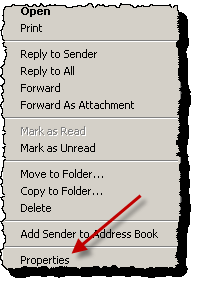
- Right-click the message, and select Properties.

- Open the Details tab in the dialog box.

The full headers will now appear in the dialog box.
